


| Apps | About us | Contact |
|
|

 |
 |
 Instantly access your favorite contacts to call them, text them or send them an e-mail much faster than with the regular directory.
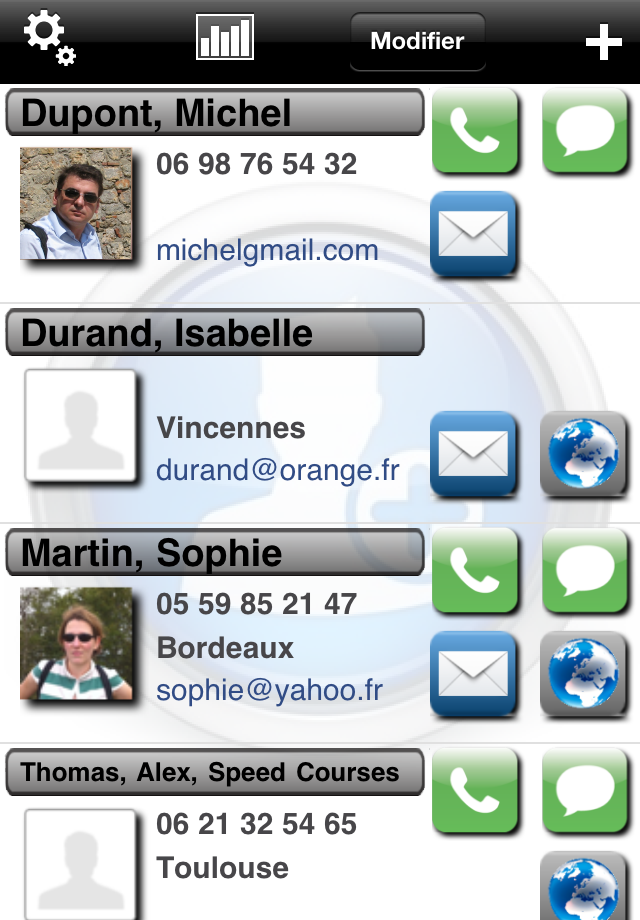
With Flash Contact, put an end to tedious searches through a voluminous phone book. Select your favourite contacts and store them within the same tool to be able to retrieve them in the quickest way possible and call them, send them a text message or e-mail, or locate their address thanks to the built-in navigation device. |
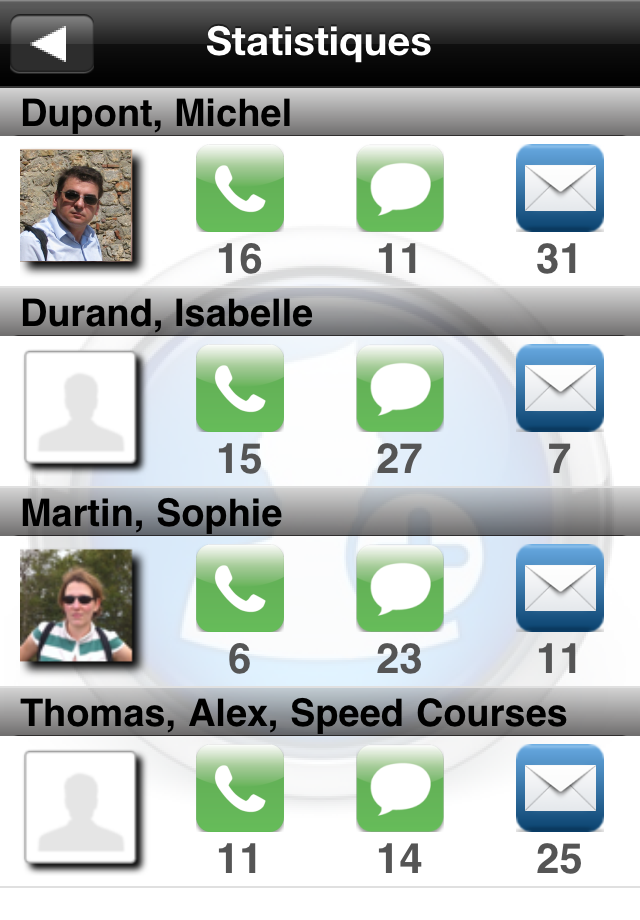
Flash Contact features a customizable interface allowing you to display your contact information in the way that suits you best. The application also provides a section dedicated to statistics showing you the number of calls, text messages and e-mails you processed through Flash Contact. |
Help & FAQ
 How can I reset the statistics concerning a particular contact?
You can delete then recreate that contact, which will reinitialize the associated call, text message and e-mail counts.
How does Flash Contact works with the address book?
When you add a new contact to the application, it is linked to the corresponding one in the iPhone address book. Flash Contact is then synchronized with that address book contact.
Any actions (modification, deletion) you may perform on your synchronized contacts are automatically reflected in Flash Contact.
You can of course delete someone from Flash Contact if you wish: this contact’s information won’t be displayed in the application anymore, but will still exist in your iPhone address book.